1
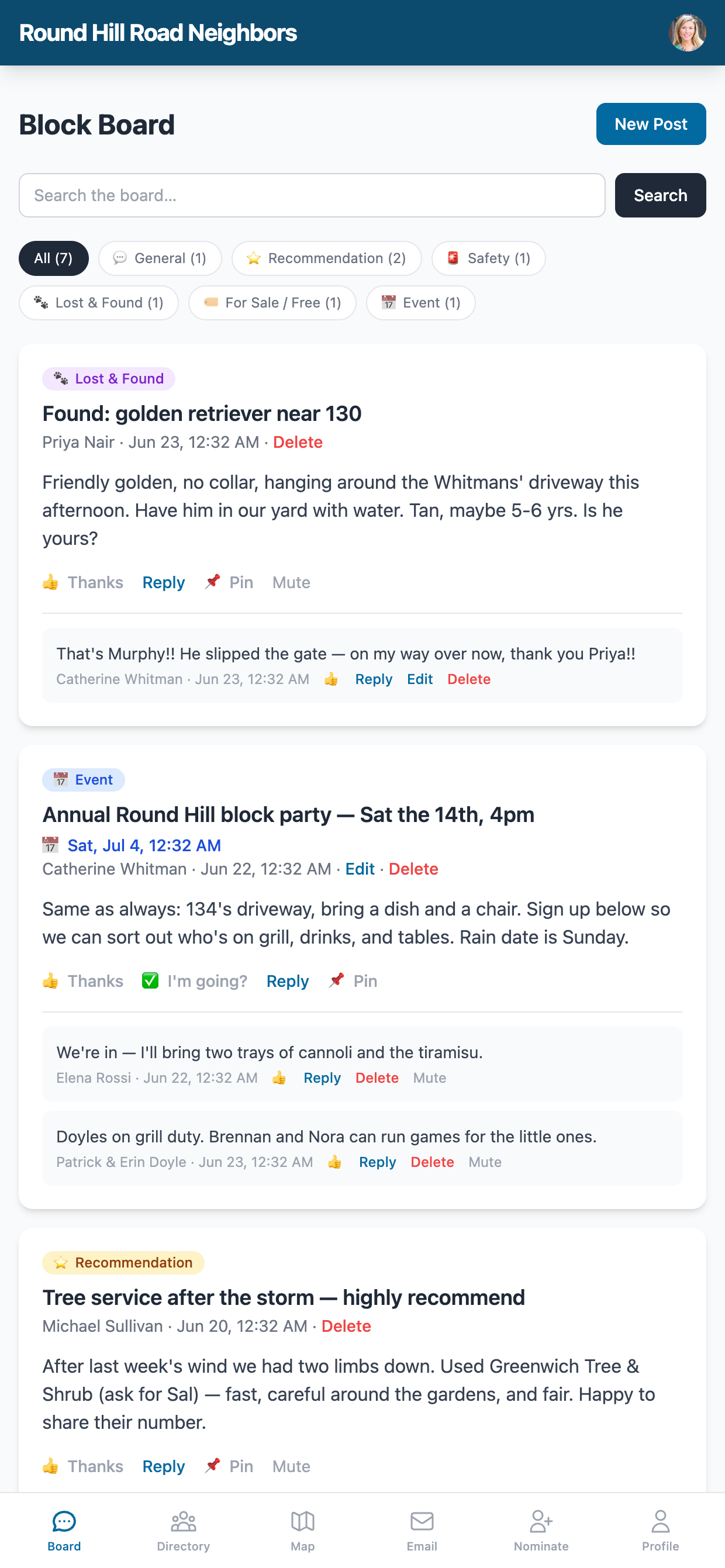
Click "New Post"
Click the green New Post button to open the compose form. Add a subject and your message.
2
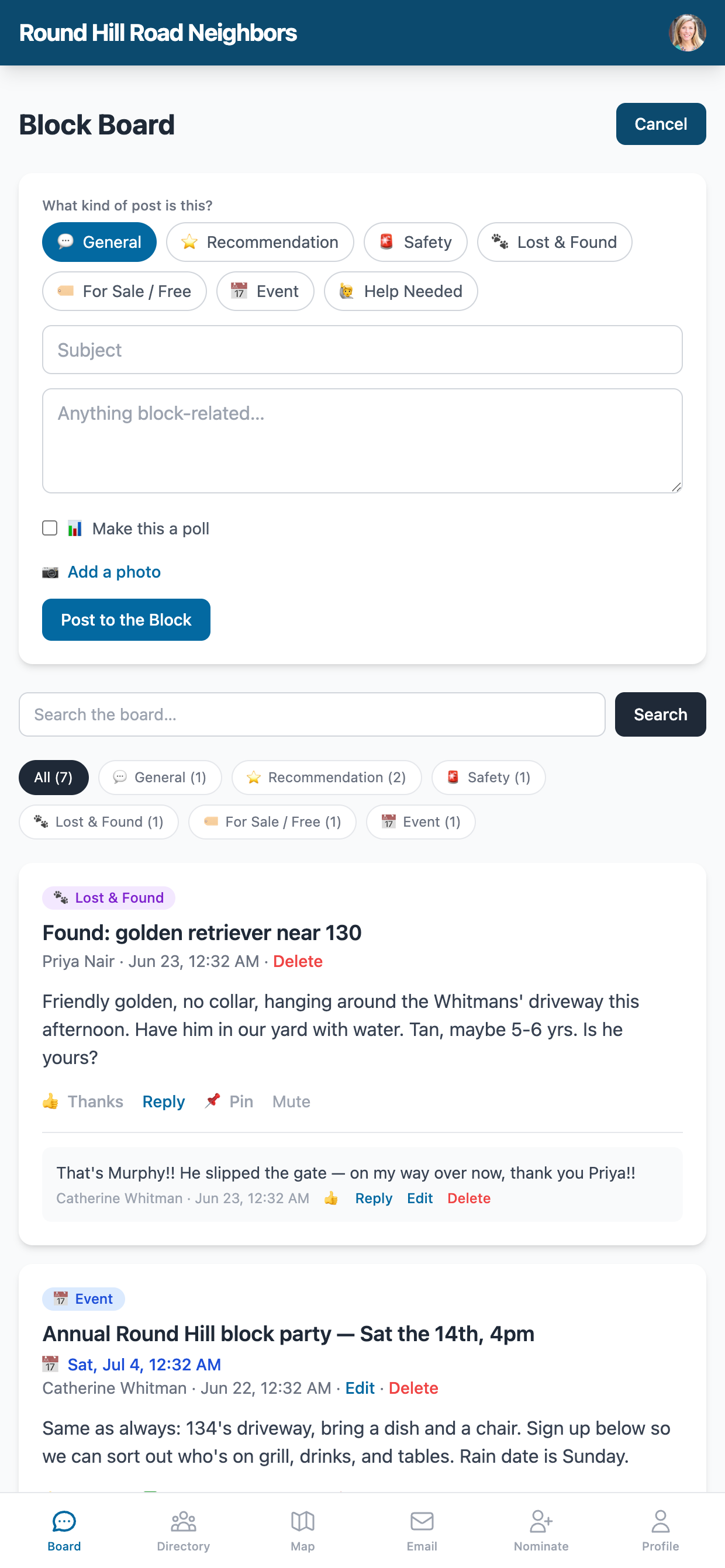
Write Your Message
Type a subject line and your message. Great for announcements, questions, or just saying hi.
3
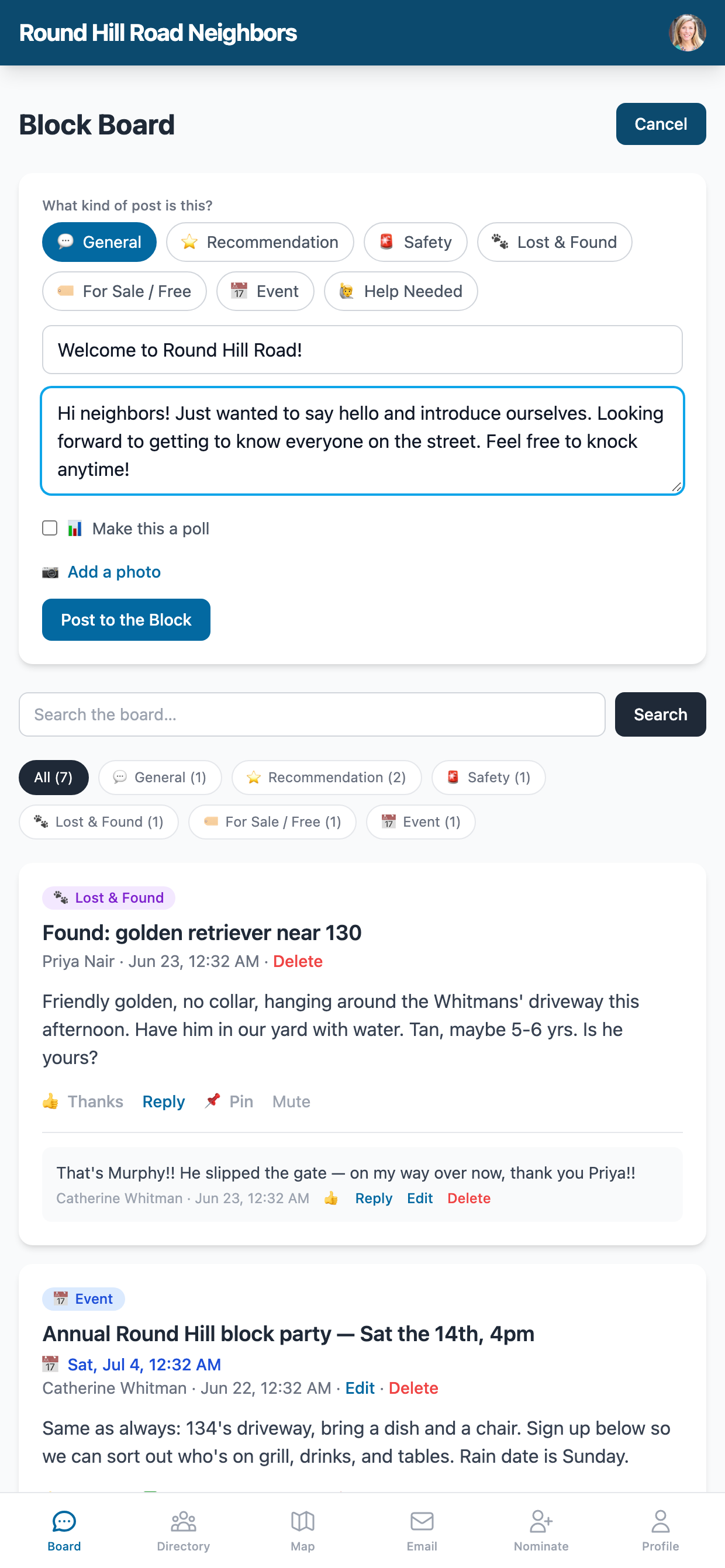
Post to the Block
Your post appears instantly. Neighbors can Reply, and you can Edit or Delete your own posts.